

Read and write machine sheets, languages, content, serial numbers, files, sheet groups and customers. Publish changes and download the QR code images. Nothing is deleted and block pages aren’t touched.
Machine sheets.
Kept up to date by your systems.
A model’s data is born in the ERP or the PLM, serial numbers when the machine is sold. With the FactoryDocs API one of your systems creates and updates the sheets, without copying the data by hand.
How it works
A REST API for machine sheets.
Through the API one of your systems reads and writes machine sheets, with their languages and their content, serial numbers, files, sheet groups and customers. It can publish changes and download the QR code image of a sheet or of a serial number.
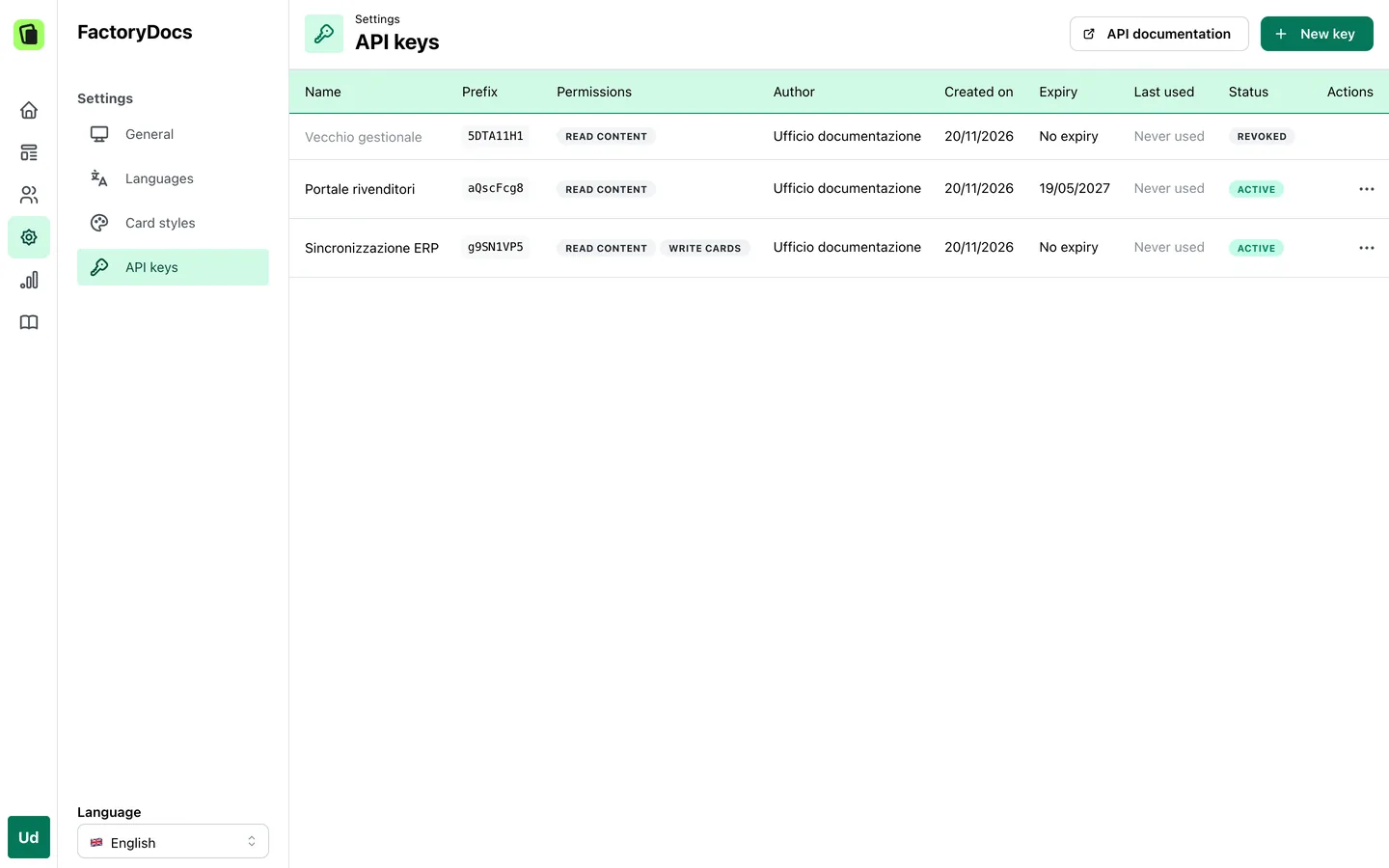
API keys, managed by you.
You create and revoke the keys yourself, from the management platform. For each one you choose the permissions and, if you like, an expiry date. In the list a key only appears with its prefix.
Every write, tracked.
Every change made through the API is logged with the name of the key.
Documented.
The API has an OpenAPI schema and interactive documentation.
Examples
- When a model is created in the PLM, your system creates its sheet, with description and specifications.
- When a machine is sold, it adds the serial number with its installation date and its own details, and downloads its QR code for the nameplate.
- When a new revision of the manual comes out, it uploads the file and publishes the change.
Frequently asked questions
You do, from the management platform: you create a key, choose its permissions and expiry date, and revoke it when it’s no longer needed.
No, it is used server to server, from your ERP or from one of your services for example. The browser of a web page can’t call it.
No. There are no webhooks or ready-made synchronisations: whoever integrates writes the synchronisation, with the API calls.
Let’s talk about your integrations.
Tell us which systems your machines’ data comes from. The Inmagik team will get back to you to set up the free trial with you.
Request a free trial